Table of Contents
- Essential Hardware Foundation
- Computing Power and Display Setup
- Audio-Visual Equipment
- Connectivity and Storage Solutions
- Ergonomic Home Office Tech
- Seating and Desk Solutions
- Lighting and Environmental Controls
- Budget-Tiered Recommendations
- Starter Setup ($1,500-$2,500)
- Professional Setup ($2,500-$4,500)
- Executive Setup ($4,500+)
- Work Type-Specific Configurations
- AI Productivity Integration
- Connectivity Troubleshooting Guide
- ROI Analysis and Tax Optimization
- What are the absolute minimum home office tech essentials for remote work?
- How do I choose between a desktop and laptop for my home office tech stack?
- What wireless office accessories are worth the premium over wired alternatives?
- How often should I upgrade my remote work technology setup?
- What energy efficiency considerations matter for sustainable home office technology?
- How do I optimize my home office setup for video call acoustics?
- What compatibility issues should I expect between different smart office devices?
- How do I calculate the true ROI of ergonomic home office tech investments?
Selecting the right home office tech essentials in 2026 means balancing productivity needs, budget constraints, and future-proofing your workspace for evolving remote work demands. Modern remote work setups require a strategic approach to technology selection that considers AI integration, ergonomic health, and long-term ROI on your tech investments.
Essential Hardware Foundation
Computing Power and Display Setup
Your computer and monitor combination forms the cornerstone of any effective home office equipment list. For 2026 remote work demands, you need processing power that handles video calls, cloud applications, and AI-powered productivity tools simultaneously.
Modern laptops with Apple M3 chips, Intel 13th generation processors, or AMD Ryzen 7000 series provide the computational foundation for professional remote setup requirements. These processors deliver 20-40% better performance per watt compared to previous generations, supporting multiple high-resolution displays while maintaining battery efficiency.
Dual monitor setups remain the productivity standard, with 27-32 inch 4K displays offering optimal screen real estate. The Occupational Safety and Health Administration workplace computer guidelines emphasize proper display positioning for long-term health outcomes. USB-C connectivity simplifies cable management while supporting power delivery, data transfer, and display output through a single connection.
Key Takeaway: Invest in a laptop with current-generation processors and at least 16GB RAM, paired with dual 4K monitors for maximum productivity gains.
Audio-Visual Equipment
Professional video conferencing requires dedicated audio-visual equipment beyond built-in laptop cameras and microphones. Remote meetings constitute 60-80% of professional communication in hybrid work environments, making high-quality AV equipment essential for career advancement.
Webcams with 4K resolution and auto-framing capabilities, such as the Logitech Brio or Dell UltraSharp 4K, provide professional video quality that adapts to your movement during calls. Dedicated microphones, particularly USB condenser mics or wireless lapel systems, deliver broadcast-quality audio that eliminates the need for participants to strain to hear you.
Noise-canceling headphones serve dual purposes: blocking distracting household sounds during focused work and ensuring clear audio reception during calls. Over-ear models typically provide better noise isolation than earbuds, with battery life extending 20-30 hours for all-day use.
Softbox lighting or ring lights eliminate unflattering shadows and provide consistent illumination regardless of natural light conditions. Position lights at eye level or slightly above to create professional lighting that enhances your video presence.
Connectivity and Storage Solutions
Reliable internet connectivity and robust data storage form the invisible foundation supporting all other remote professional tools. Network failures and data loss can instantly derail productivity, making redundancy essential.
Wireless office accessories depend on stable Wi-Fi 6 or 6E router performance. Mesh network systems eliminate dead zones in larger homes while providing seamless device handoffs as you move throughout your workspace. Wired ethernet connections offer lower latency for video calls and file transfers when wireless performance fluctuates.
Cloud storage integration with local backup drives provides comprehensive data protection. Services like Google Workspace, Microsoft 365, or Dropbox handle real-time collaboration while external SSDs or network-attached storage systems protect against service outages or accidental deletions.
USB hubs and docking stations consolidate peripheral connections, reducing cable clutter while providing easy laptop connectivity. Thunderbolt 4 docks support multiple 4K displays, high-speed data transfer, and device charging through a single cable connection.
Ergonomic Home Office Tech
Seating and Desk Solutions
Ergonomic furniture prevents the physical strain that reduces long-term productivity and career longevity in remote work environments. Poor posture during 8+ hour workdays leads to musculoskeletal disorders that affect 54% of remote workers according to recent workplace health studies.
Adjustable standing desks encourage movement throughout the day while accommodating both sitting and standing work preferences. Electric height adjustment enables quick transitions, while desktop converters provide standing options for existing furniture. Desk surfaces should accommodate dual monitors, keyboard, mouse, and accessories with 48-60 inches of width.
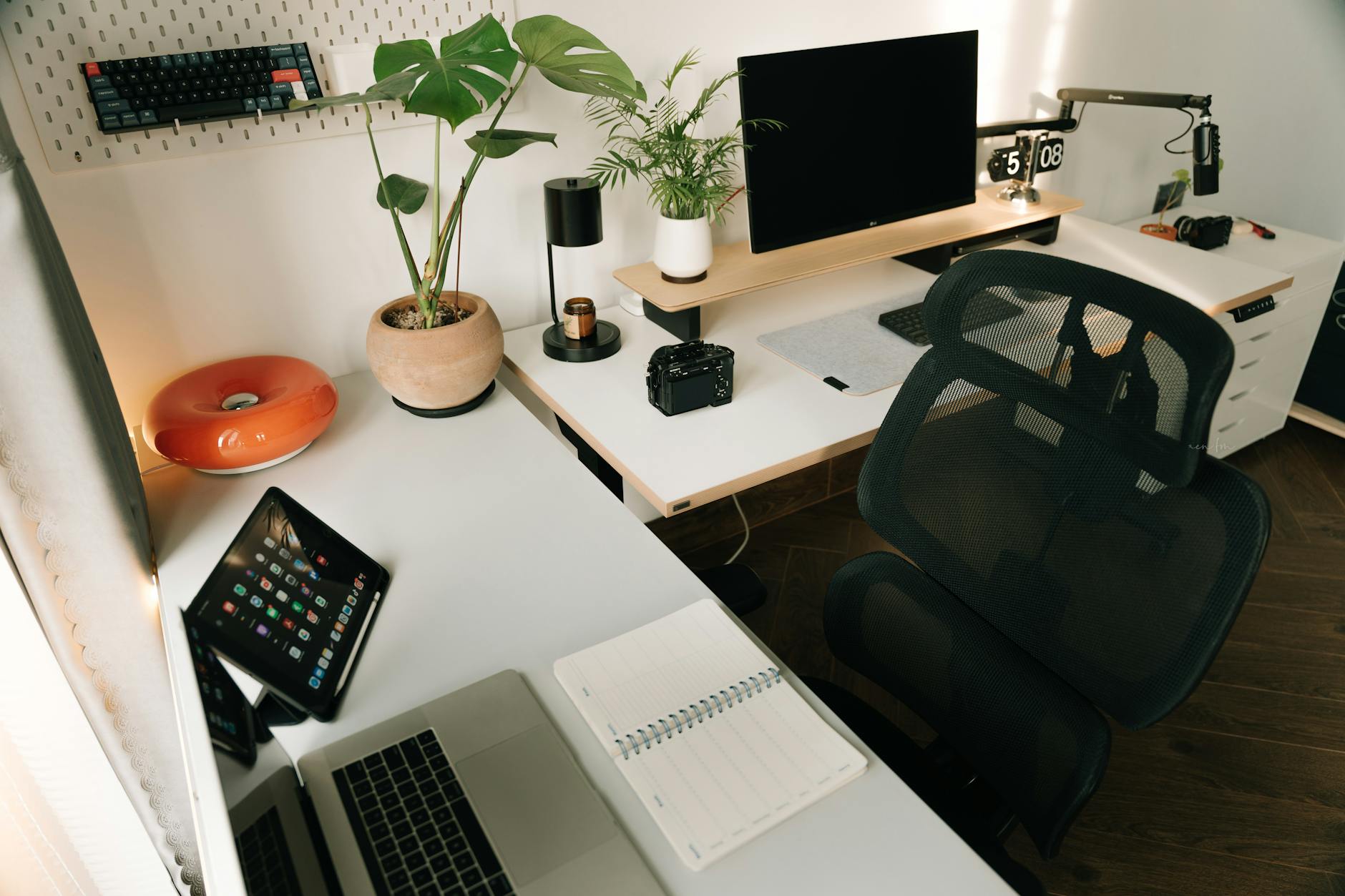
Ergonomic office chairs with lumbar support, adjustable armrests, and seat height controls align your spine and reduce pressure points during extended sitting periods. Mesh backing promotes airflow, while memory foam cushions distribute weight evenly. Chair adjustments should position your feet flat on the floor with thighs parallel to the ground.
Keyboard and mouse selection impacts wrist health during repetitive tasks. Mechanical keyboards provide tactile feedback that reduces typing force, while ergonomic mice with proper palm support prevent repetitive strain injuries. Consider split keyboards or vertical mice if you experience wrist discomfort.
Lighting and Environmental Controls
Proper lighting and environmental controls directly impact cognitive function, eye health, and overall work performance throughout the day. The American Optometric Association digital eye strain guidelines recommend specific lighting conditions for computer work.
Task lighting should provide 500-1000 lux at your work surface while avoiding screen glare. Adjustable desk lamps with color temperature controls allow you to match lighting to circadian rhythms: cooler light (5000-6500K) for morning focus, warmer light (3000-4000K) for afternoon comfort.
Air quality monitors track carbon dioxide levels, humidity, and particulates that affect cognitive performance. Levels above 1000 ppm CO2 reduce decision-making ability by 15%, while humidity below 40% increases respiratory irritation during long speaking sessions.
White noise machines or acoustic panels minimize distracting household sounds during video calls. Sound absorption materials improve audio quality for recording or calls in rooms with hard surfaces that create echo.
Budget-Tiered Recommendations
Starter Setup ($1,500-$2,500)
Entry-level remote work setups focus on essential productivity tools while maintaining upgrade paths for future expansion. This tier suits new remote workers, students, or professionals with basic computing needs.
| Component | Budget Option | Price Range | Key Features |
|---|---|---|---|
| Laptop | MacBook Air M2 or ThinkPad E15 | $800-$1,200 | 8-16GB RAM, SSD storage, 8+ hour battery |
| Monitor | 24” 1080p IPS display | $150-$250 | Height adjustable, USB hub, eye care modes |
| Chair | Steelcase Series 1 or Herman Miller Sayl | $200-$400 | Basic ergonomics, mesh backing |
| Desk | IKEA Bekant or similar | $80-$150 | Cable management, stable surface |
| Webcam | Logitech C920s | $70-$90 | 1080p video, privacy shutter |
| Headphones | Sony WH-CH720N | $90-$120 | Noise canceling, all-day comfort |
This configuration provides functional remote work capabilities with room for incremental upgrades. Focus initial investments on the laptop and chair, as these components most directly impact daily comfort and productivity.
Key Takeaway: Starter setups prioritize essential functionality over premium features, allowing you to begin productive remote work while identifying upgrade priorities through actual usage.
Professional Setup ($2,500-$4,500)
Mid-tier configurations balance advanced features with cost-effectiveness for established remote professionals. This setup suits knowledge workers, consultants, or managers who spend 6-8 hours daily in video calls and collaborative work.
Dual monitor setups become standard at this level, with 27” 4K displays providing ample screen real estate for multitasking. Ultrawide monitors offer an alternative that eliminates bezels while providing similar workspace.
Standing desk converters or full electric desks encourage healthy movement patterns throughout the workday. Memory presets allow quick transitions between sitting and standing heights for multiple users.
Advanced webcams with auto-framing and lighting correction maintain professional appearance during calls. Dedicated microphones, such as Blue Yeti or Audio-Technica AT2020USB+, provide broadcast-quality audio that enhances your professional presence.
Wireless charging pads, USB hubs with fast charging, and cable management systems reduce desk clutter while keeping devices powered throughout long workdays.
Executive Setup ($4,500+)
Premium configurations provide cutting-edge technology and luxury comfort for senior executives and high-performance professionals. These setups prioritize seamless workflow, advanced features, and impressive visual presentation for client-facing roles.
High-end laptops with maximum RAM and storage configurations handle demanding applications while supporting multiple external displays. Desktop workstations offer even greater performance for data analysis, design work, or development tasks.
Ultra-wide curved monitors (34-49 inches) provide immersive workspace environments that eliminate the need for multiple displays. 5K resolution delivers crisp text and detailed visuals for design or analytical work.
Smart home office devices integrate lighting, temperature, and audio control through voice commands or mobile apps. Automated systems adjust environmental conditions based on calendar schedules or presence detection.
Professional lighting systems with multiple zones create optimal conditions for video calls while providing ambient workspace illumination. Acoustic treatments improve call quality while creating a more pleasant working environment.
Work Type-Specific Configurations
Different professional roles require specialized home office tech stacks optimized for specific workflows and performance requirements. Generic setups often overlook critical tools that dramatically improve efficiency in specialized fields.
Creative professionals need color-accurate displays with wide gamuts, graphics tablets, and high-performance GPUs for rendering tasks. Video editors require fast storage systems and multiple displays for timeline management. The Bureau of Labor Statistics occupational outlook details technology requirements across different career fields.
Analytical professionals benefit from large displays for spreadsheet work, multiple monitors for data visualization, and powerful processors for statistical analysis. Financial analysts often require multiple screens for market monitoring and modeling applications.
Hybrid workers need portable solutions that transition between home and office environments. Lightweight laptops with long battery life, compact peripherals, and cloud-based workflows enable seamless location transitions.
Customer-facing roles prioritize audio-visual quality for video calls, quiet keyboard operation for note-taking during calls, and reliable internet connectivity for uninterrupted client interactions.
Key Takeaway: Identify your primary work activities and invest in specialized tools that directly support those tasks rather than pursuing generic “productivity” equipment.
AI Productivity Integration
Modern smart home office devices leverage artificial intelligence to automate routine tasks and optimize work environments for peak performance. AI integration represents the fastest-growing category in work from home technology.
AI-powered scheduling assistants analyze calendar patterns and suggest optimal meeting times while blocking focus periods for deep work. Voice-activated smart speakers handle routine tasks like setting timers, controlling lighting, or playing background audio without interrupting keyboard workflows.
Intelligent webcams automatically frame and follow speakers during presentations while adjusting exposure for optimal video quality. Background replacement and noise cancellation powered by machine learning create professional environments regardless of home conditions.
Predictive text and grammar assistance integrated into word processors and email clients accelerate document creation while improving communication clarity. Advanced language models provide research assistance and content generation for routine business communications.
Environmental sensors connected to smart home systems automatically adjust lighting, temperature, and air quality based on occupancy patterns and work schedules. These systems learn your preferences and optimize conditions without manual intervention.
The National Institute for Occupational Safety and Health research on workplace automation examines how AI tools affect worker productivity and health outcomes in remote environments.
Connectivity Troubleshooting Guide
Multi-device connectivity issues plague remote workers as wireless office accessories and smart devices compete for bandwidth and create interference. Systematic troubleshooting prevents productivity losses from technical problems.
Wi-Fi congestion from neighboring networks, household devices, and video streaming affects video call quality and file transfer speeds. Network analysis apps identify channel conflicts and suggest optimal router configurations. Mesh systems eliminate dead zones while providing seamless device handoffs.
Bluetooth interference between wireless keyboards, mice, headphones, and speakers creates audio dropouts and input lag. Device-specific frequency management and strategic pairing sequences minimize conflicts between peripherals.
USB bandwidth limitations occur when multiple high-speed devices share controllers, particularly with webcams, external drives, and charging devices. USB 3.0 hubs with dedicated controllers prevent bandwidth competition between devices.
Cloud service synchronization conflicts arise when multiple devices edit shared files simultaneously. Understanding each platform’s conflict resolution prevents data loss and version control issues during collaborative work.
Power management problems affect wireless device reliability as batteries drain unexpectedly or charging systems fail. Backup power solutions and charging schedules maintain device availability during long workdays.
Key Takeaway: Prevent connectivity issues through systematic device management rather than reactive troubleshooting when problems occur.
ROI Analysis and Tax Optimization
Professional remote setup investments generate measurable returns through productivity gains, health improvements, and tax advantages for business expenses. Calculating return on investment justifies equipment purchases and guides budget allocation decisions.
Productivity measurements compare task completion times, error rates, and output quality before and after equipment upgrades. Dual monitor setups typically increase productivity 20-30% for knowledge work, while ergonomic improvements reduce fatigue-related errors.
Health cost savings from ergonomic equipment prevent medical expenses related to repetitive strain injuries, eye strain, and postural problems. The Centers for Disease Control workplace health promotion programs document significant healthcare cost reductions from ergonomic interventions.
Tax deduction optimization for home office equipment varies by employment status and business structure. Business owners can often deduct equipment costs immediately, while employees may qualify for unreimbursed business expense deductions in certain jurisdictions.
Equipment depreciation schedules spread costs across multiple tax years while accounting for technology obsolescence. Computer equipment typically depreciates over 3-5 years, while furniture extends to 7-10 year schedules.
Energy efficiency considerations affect long-term operating costs as devices consume electricity continuously. Energy Star certified equipment reduces power consumption 20-50% compared to standard alternatives, generating ongoing savings.
Resale value retention helps recover initial investments when upgrading equipment. Popular brands with strong secondary markets, such as Apple or Herman Miller, maintain higher resale values than generic alternatives.
Frequently Asked Questions
What are the absolute minimum home office tech essentials for remote work?
The minimum viable setup includes a reliable laptop with webcam, noise-canceling headphones, ergonomic chair, and stable internet connection. This configuration costs approximately $1,200-$1,500 and supports basic remote work functions including video calls, document editing, and collaborative software access.
How do I choose between a desktop and laptop for my home office tech stack?
Laptops provide flexibility for hybrid work arrangements, while desktops offer better performance per dollar and upgrade options. Choose laptops if you work from multiple locations or travel frequently. Select desktops for stationary setups requiring maximum performance, multiple large monitors, or specialized hardware requirements.
What wireless office accessories are worth the premium over wired alternatives?
Wireless keyboards and mice eliminate cable clutter and enable flexible positioning, while wireless headphones provide freedom of movement during calls. However, wired connections offer lower latency and eliminate battery management concerns. Choose wireless for convenience and aesthetics, wired for maximum reliability and performance.
How often should I upgrade my remote work technology setup?
Computer hardware requires replacement every 3-5 years for optimal performance and security support, while peripherals last 5-8 years with proper maintenance. Monitor technology advances more slowly, making 7-10 year replacement cycles reasonable. Upgrade individual components as needs change rather than replacing entire setups simultaneously.
What energy efficiency considerations matter for sustainable home office technology?
Energy Star certified equipment reduces power consumption 20-50% while sleep modes and power management settings minimize idle power draw. LED monitors consume less power than older LCD panels, while SSDs use less energy than traditional hard drives. Consider total cost of ownership including electricity usage over equipment lifespan.
How do I optimize my home office setup for video call acoustics?
Soft furnishings, acoustic panels, and strategic microphone placement reduce echo and background noise for professional audio quality. Position microphones 6-8 inches from your mouth, use directional rather than omnidirectional pickups, and add sound-absorbing materials to rooms with hard surfaces. Test audio quality from the listener’s perspective before important calls.
What compatibility issues should I expect between different smart office devices?
Cross-platform compatibility varies significantly between manufacturers, with Apple, Google, and Amazon ecosystems offering the best integration within their respective platforms. Research compatibility matrices before purchasing multiple smart devices, and consider standardizing on a single ecosystem for seamless automation and control.
How do I calculate the true ROI of ergonomic home office tech investments?
Measure productivity gains, health cost savings, and tax benefits against equipment costs to determine return on investment. Track metrics like task completion time, error rates, and comfort levels before and after ergonomic improvements. Factor in reduced healthcare costs and tax deductions when calculating total benefits. Most ergonomic investments pay for themselves within 12-24 months through improved productivity and health outcomes.